See what Heartbeat can do!
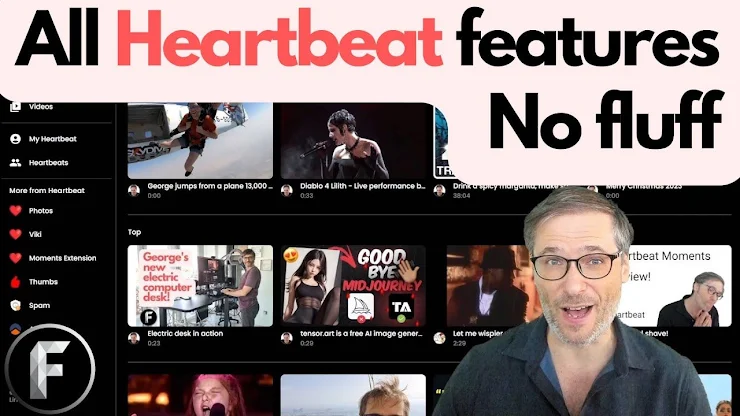
play_arrow0:00 Start
play_arrow0:02 Avatar menu
play_arrow0:04 Light mode
play_arrow0:05 Dark mode
play_arrow0:08 Type h.ki in your browser to open Heartbeat
play_arrow0:12 Get Heartbeat extension
play_arrow0:15 See the Channel ID on any YouTube channel
play_arrow0:20 Press H while watching any video on YouTubeto crea te a moment
play_arrow0:33 Click the Heart to see all your moments
play_arrow0:43 Click the Pin in the puzzle piece to show the Heart
play_arrow0:51 Control the video by seeking 2 or 10 seconds
play_arrow0:55 Edit a moment
play_arrow0:59 Tweak a moment start time
play_arrow1:08 Skip 1 frame at a time to get the precise time!
play_arrow1:16 Delete a moment
play_arrow1:20 See all your moments
play_arrow2:12 Skip any ad on YouTube: replace "com" with "h.ki" in browser address bar
play_arrow2:25 "Community" shows other people's moments
play_arrow2:47 Heartbeat goal: Connect strangers on common interest in video moments
play_arrow2:55 Search
play_arrow3:06 Reserve your handle so no one takes it
play_arrow3:18 "Follow" button
play_arrow3:31 To click "Follow", first sign in with your Google Account
play_arrow3:40 See all the moments of the people you follow
play_arrow3:47 Unfollow by clicking "Follow" again
play_arrow3:56 Copy someone else's moments as your own to edit
play_arrow4:07 Copy as YouTube Chapters
play_arrow4:25 Auto-imports YouTube Chapters
play_arrow5:10 Long-play music videos are especially useful
play_arrow5:13 Heartbeat auto-imports comments with moments by helpful fans!
play_arrow6:03 "Favorite" button
play_arrow6:22 Remove a favorite
play_arrow6:30 Share any moment
play_arrow6:43 Monetization in Heartbeat Studio
play_arrow7:39 H is Heartbeat
play_arrow8:06 Viki vs Wikipedia
play_arrow8:22 Wikipedia is boring without video
play_arrow8:36 Viki difference: see what you are reading
play_arrow9:26 Heartbeat is a creator's wet dream!
play_arrow9:37 What is missing from Wikipedia? Video
play_arrow9:41 What is missing from YouTube? Something meaningful to read
play_arrow10:01 h.ki is the same H key you press to create a moment while watching any video on YouTube
play_arrow10:11 Not a coincidence that h.ki matches H key, more memorable
play_arrow10:19 X and H, Elon Musk X (formerly Twitter) and H is Heartbeat, two great single-letter brands!
play_arrow10:44 I am George Vanous, CEO and founder of Freedom! and Heartbeat